
c9watch — One dashboard for Claude Code, Codex, Cursor Agent and Pi sessions
Five agents running. One is stuck on a permission prompt. Which one?
c9watch finds every Claude Code, Codex, Cursor Agent and Pi session on your Mac. Ghostty, iTerm2, VS Code, tmux: it doesn't matter where you started them. The one waiting for you goes to the top.
brew install --cask minchenlee/tap/c9watch curl -fsSL https://raw.githubusercontent.com/minchenlee/c9watch/main/install.sh | bash The curl script also links the c9watch CLI into ~/.local/bin. Homebrew installs the app only.
Start agents wherever you already do.
c9watch reads the sessions, not your terminal. Ghostty, iTerm2, VS Code, tmux and the rest all work. See what each agent supports.
Features
Auto-discovery
Detects running Claude Code, Codex, Cursor Agent and Pi sessions automatically. No plugins, no setup.
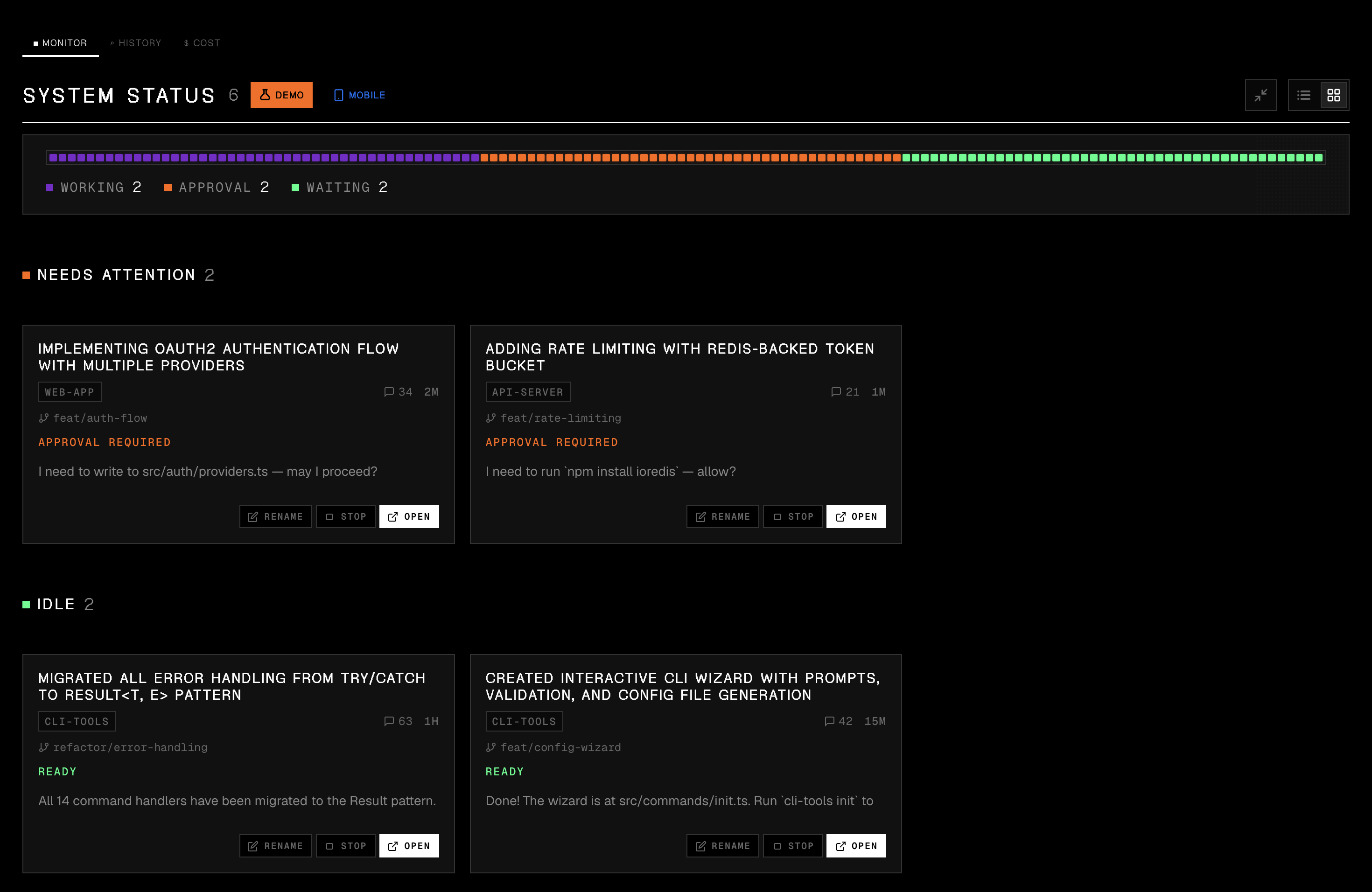
Real-time status
See at a glance which sessions are Working, Need Attention, or Ready. Sessions that wait for you surface first.
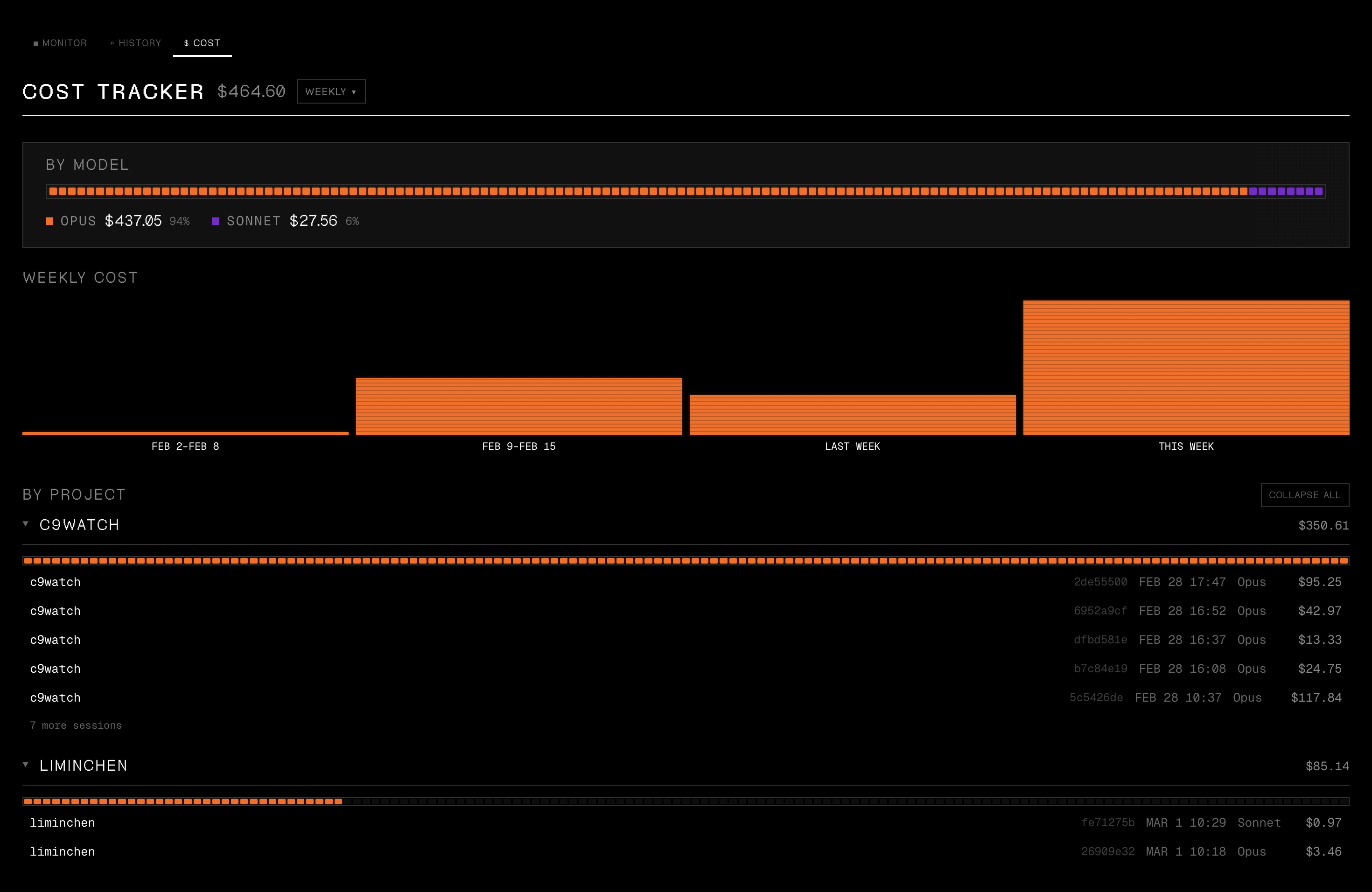
Session history
Browse and search all past sessions with instant metadata filter and deep content search.
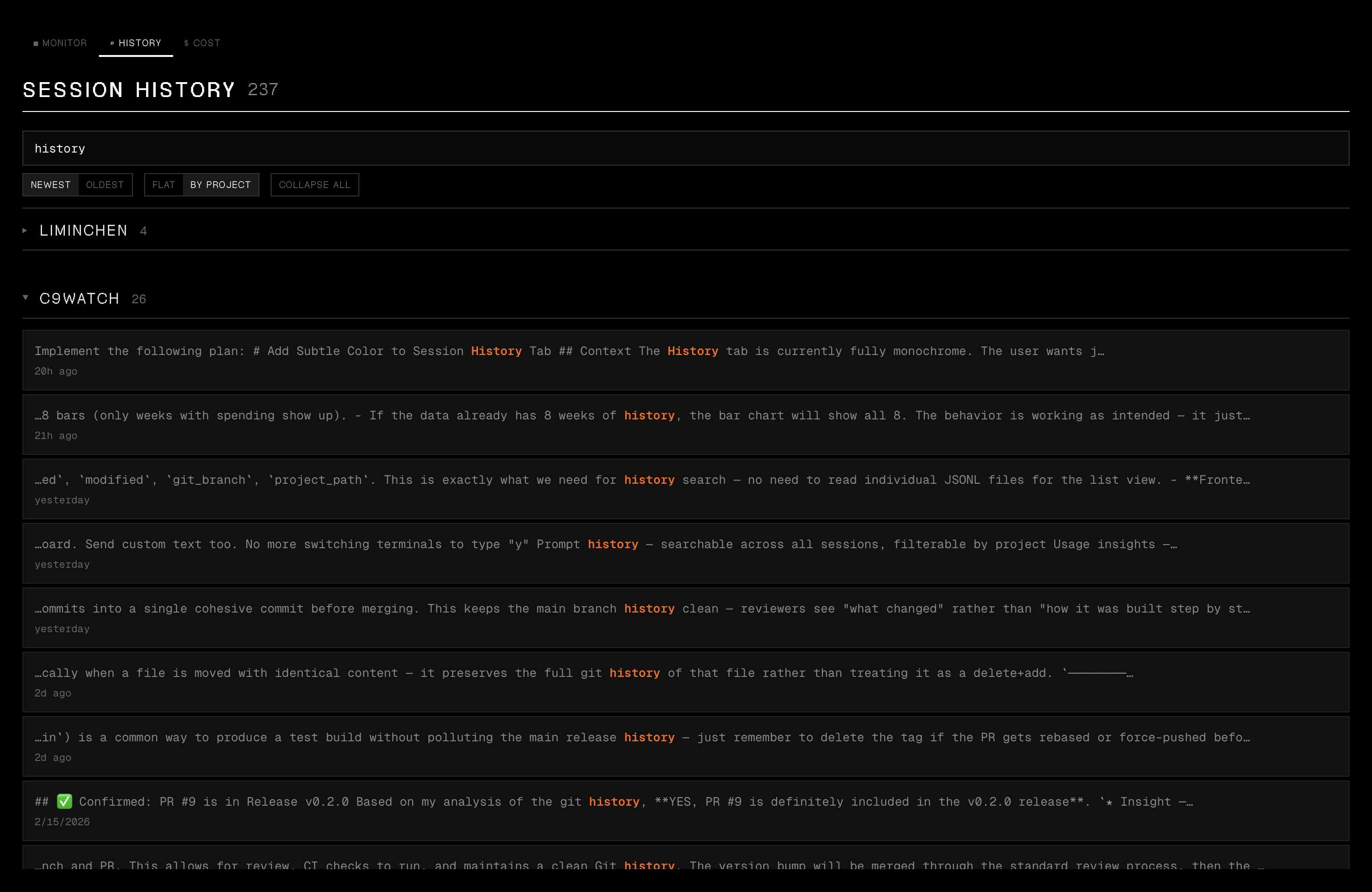
Cost tracker
Daily, per-project, and per-model spending across your Claude Code, Codex and Pi sessions.
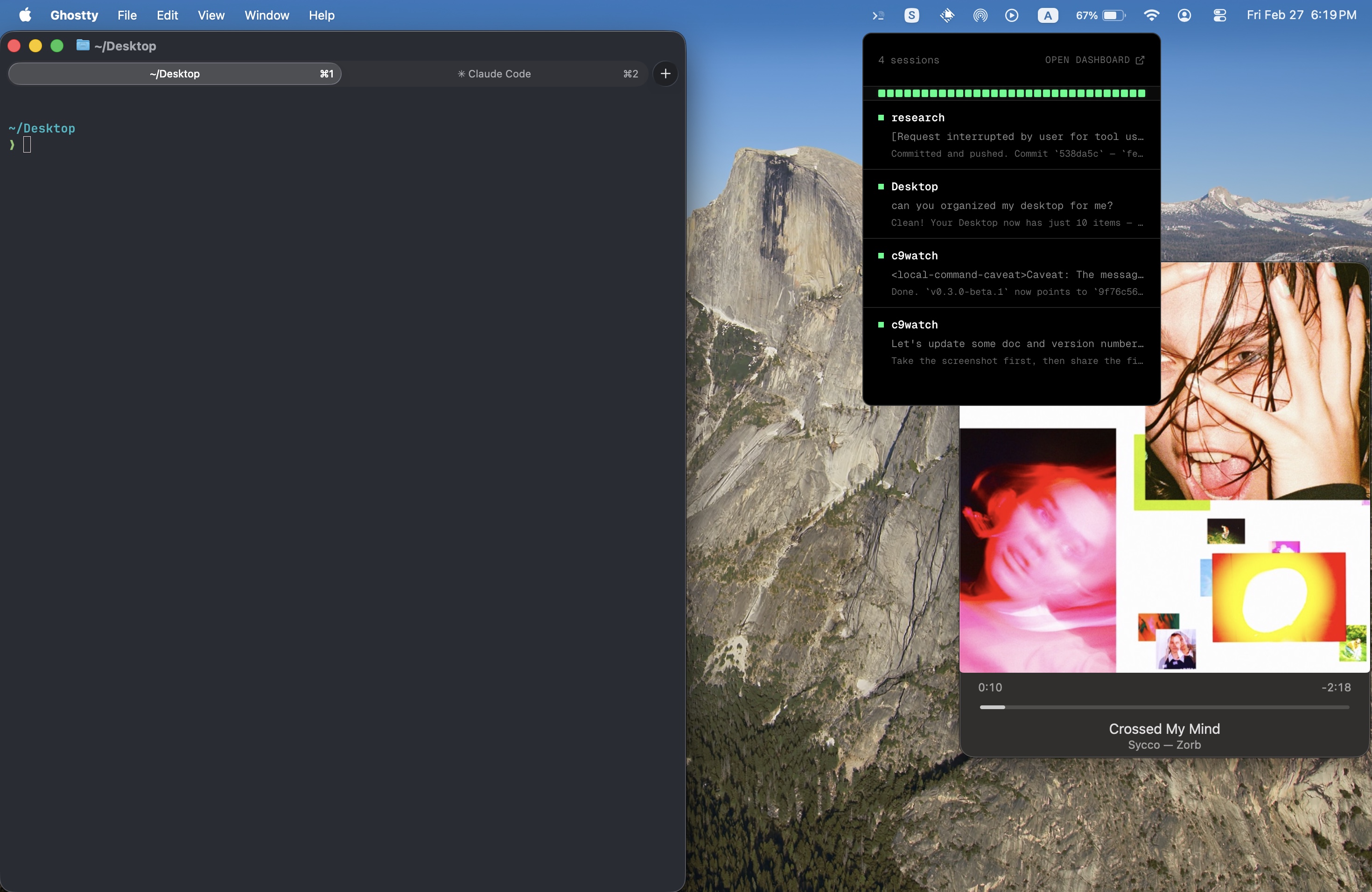
Tray popover
Click the menu bar icon for a quick-glance overlay of session status.
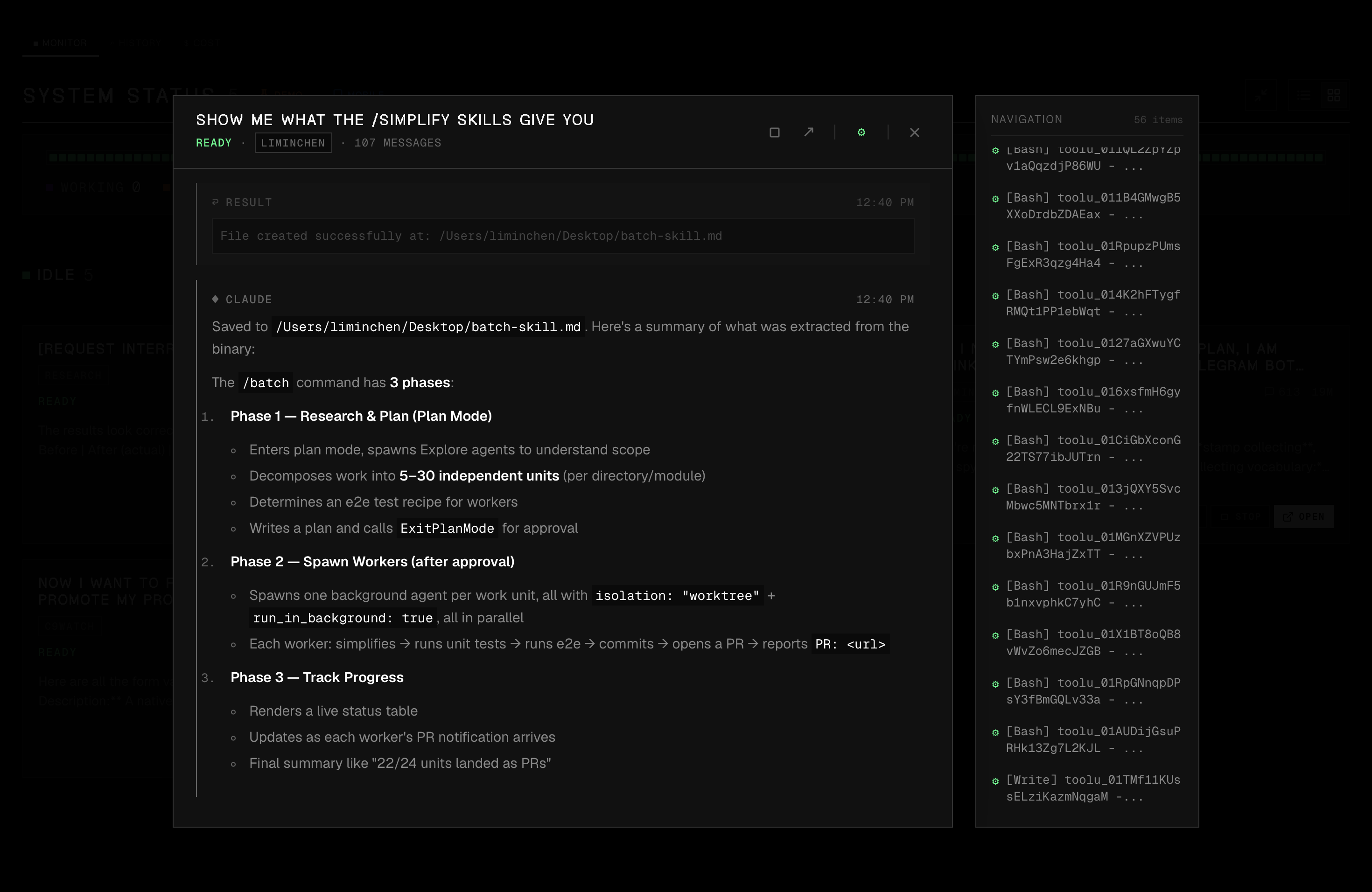
Conversation viewer
Expand any session to see the full conversation with formatted markdown, code blocks, and inline images.
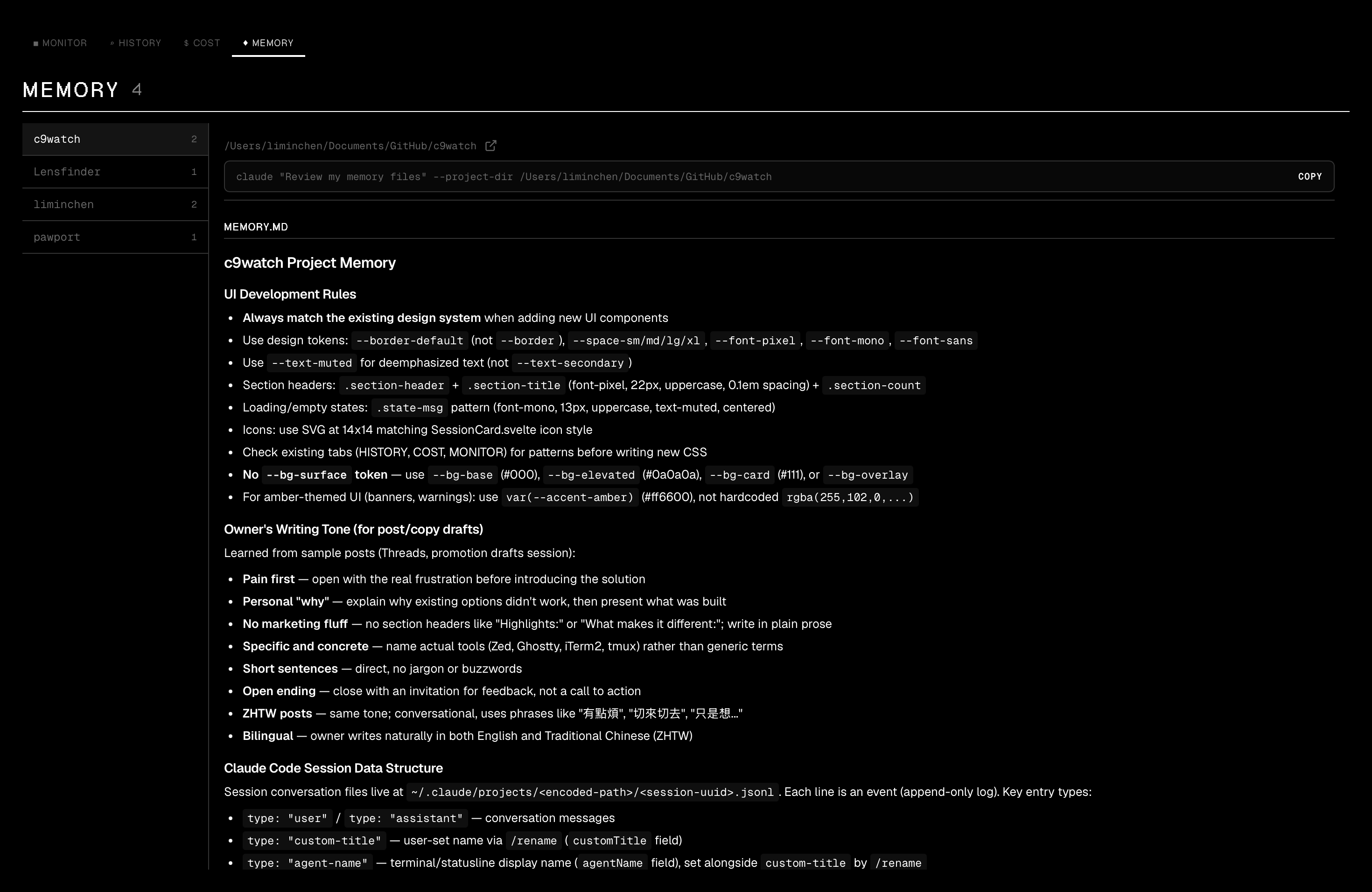
Memory viewer
Browse and inspect memory files in a two-panel layout with quick access to Claude commands.
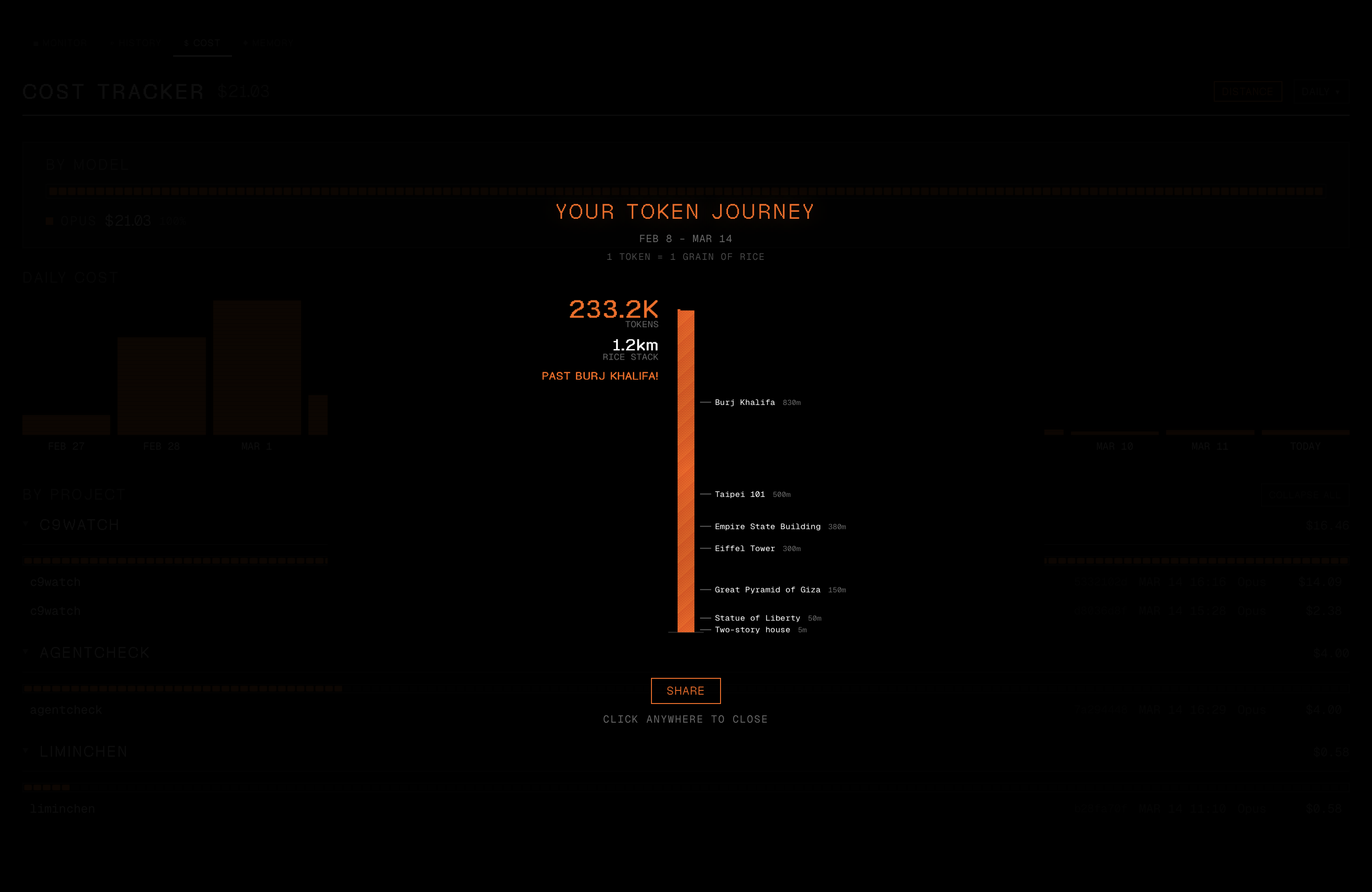
Token distance
Visualize your token usage as a rice stack towering past 17 real-world landmarks. Share as an Instagram-ready PNG.
CLI for agents
Scriptable session management with JSON output. List, view, search, watch, and stop sessions from other coding agents or scripts.
Lightweight by design
Built with Tauri, Rust, and Svelte, not Electron. Your monitoring tool shouldn't add to the pile.
Get started
brew install --cask minchenlee/tap/c9watch curl -fsSL https://raw.githubusercontent.com/minchenlee/c9watch/main/install.sh | bash The curl script also links the c9watch CLI into ~/.local/bin. Homebrew installs the app only.
curl -fsSL https://raw.githubusercontent.com/minchenlee/c9watch/main/install-cli.sh | bash Frequently Asked Questions
Short answers about detection, supported tools, price and install.
How does c9watch detect sessions?
c9watch scans your running processes to find Claude Code instances, then matches them to session data files in ~/.claude/projects/. Codex sessions are read from ~/.codex/sessions/. Cursor Agent and Pi are detected automatically too. OpenCode (preview) connects to one server you start yourself. No plugins or configuration are needed for the others. They work with any terminal or IDE.
Does c9watch work with VS Code, Cursor, and terminal apps?
Yes. c9watch detects sessions from any environment: VS Code, Cursor, Zed, Warp, iTerm2, Ghostty, Terminal.app, tmux, and 13 JetBrains IDEs including IntelliJ IDEA, WebStorm, and PyCharm.
Is c9watch free?
Yes. c9watch is free and open-source under the MIT license.
How do I install c9watch?
Run brew install --cask minchenlee/tap/c9watch. Or run curl -fsSL https://raw.githubusercontent.com/minchenlee/c9watch/main/install.sh | bash, which also links the CLI. You can also download the .dmg from GitHub Releases or build from source.